
Carry On for ChatGPT
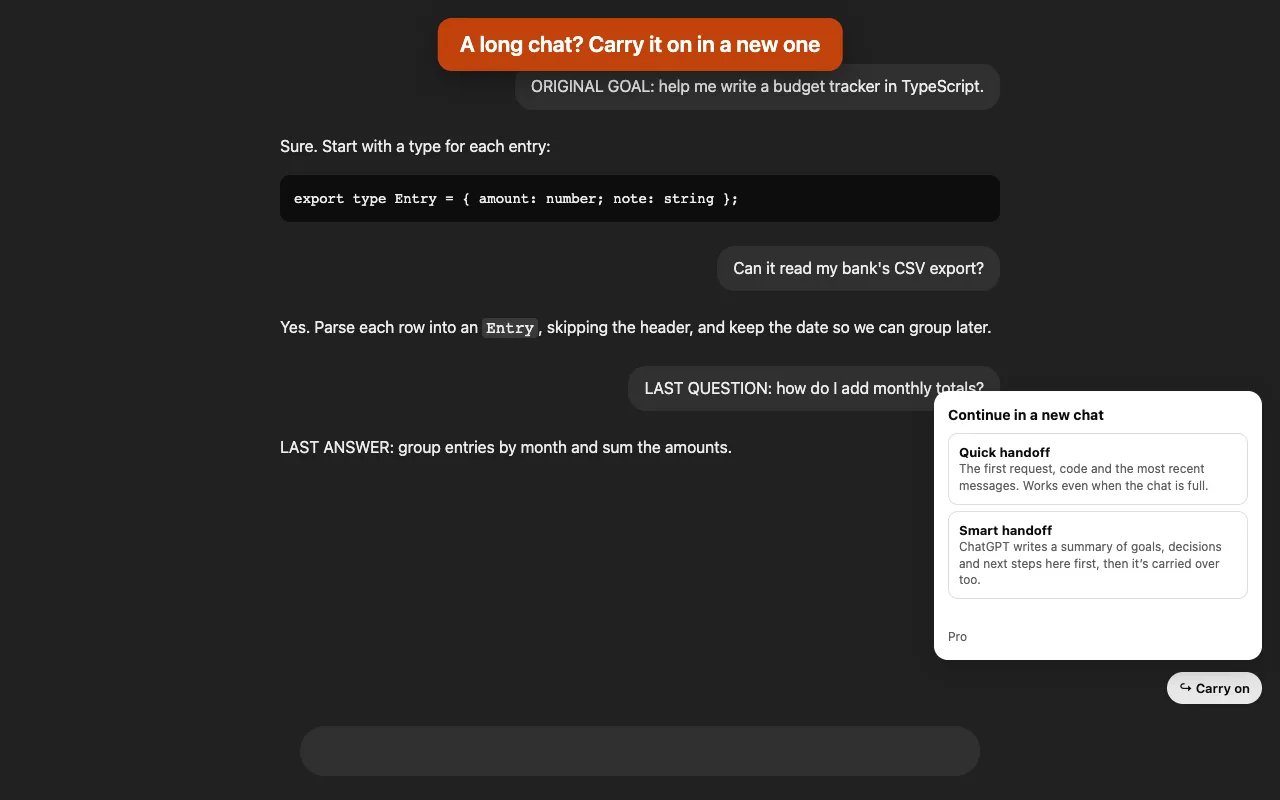
“You’ve reached the maximum length for this conversation.” Carry On opens a new chat with the goal, the code and the most recent messages already in it, so you keep going without explaining everything again.
Free for 2 handoffs a day. Pro is $4.99, paid once.
What it carries over
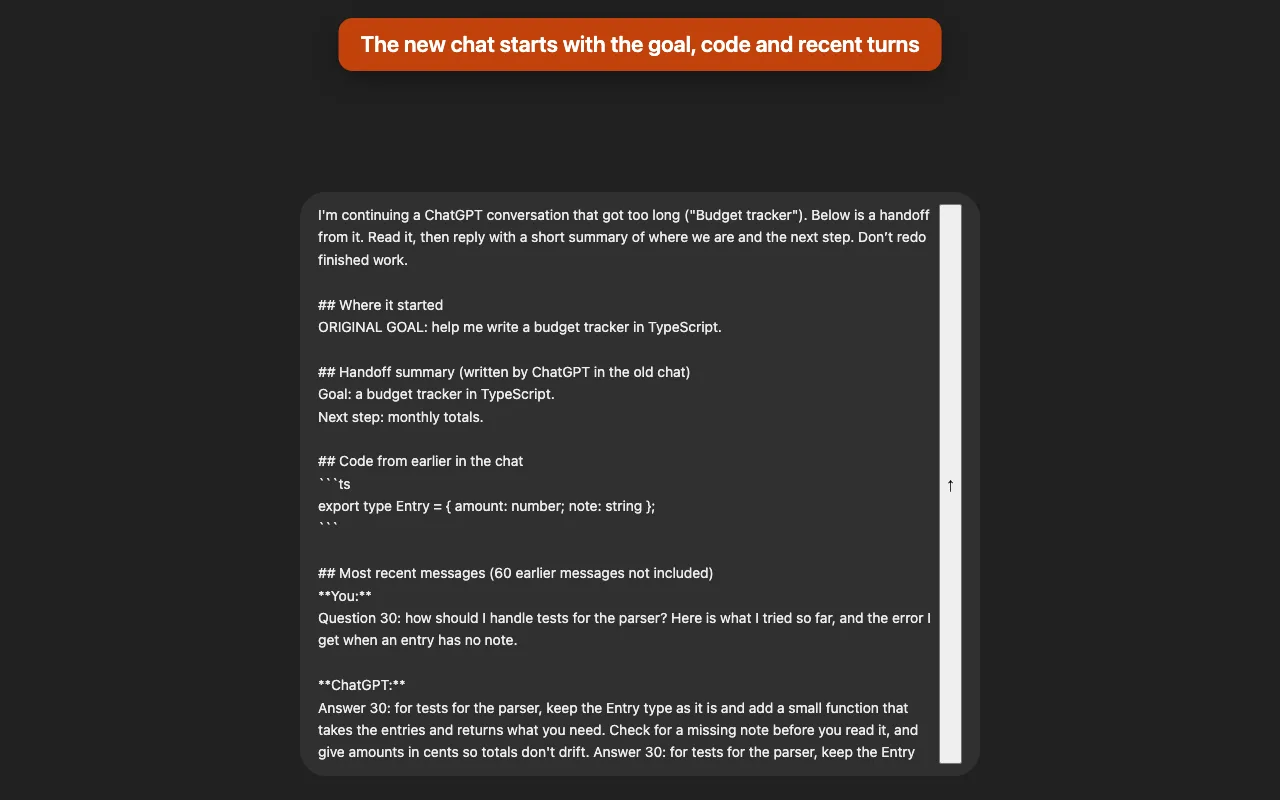
- Where it startedYour first request, so the new chat knows what you’re trying to do.
- Earlier codeCode blocks from earlier in the chat that the recent messages don’t show.
- The latest messages, word for wordNewest first, until the size you picked is full. A very long message keeps its start and end.
- A summary from ChatGPT itself (Pro)Before moving, ChatGPT writes the goal, decisions, current state, open questions and next step in the old chat.
- Works when the chat is fullThe button turns green, and the quick handoff still works because it reads the conversation directly.
- Stays in your GPT or projectThe new chat opens inside the same custom GPT or project.
Price
| Free$0 | Pro$4.99, paid once | |
|---|---|---|
| Quick handoffs | 2 a day | Unlimited |
| Smart handoff (ChatGPT writes a summary first) | No | Yes |
| Handoff length | Standard | Short, standard or long |
No subscription. Payment is handled by ExtensionPay and Stripe, and the extension never sees your card.
Questions
- Is this made by OpenAI?
- No. Carry On is an independent extension by Otter Potter and is not affiliated with, endorsed by, or sponsored by OpenAI.
- Does it send anything by itself?
- No. The handoff waits in the new chat’s message box until you press Send, unless you turn on auto-send. A smart handoff sends one request in the old chat, asking ChatGPT for the summary.
- Where does my conversation go?
- Only from one chatgpt.com chat to another, in your browser. Nothing is sent to us. See the privacy policy.
- Something else?
- Email support@otterpotter.org.