Taproot Tabs
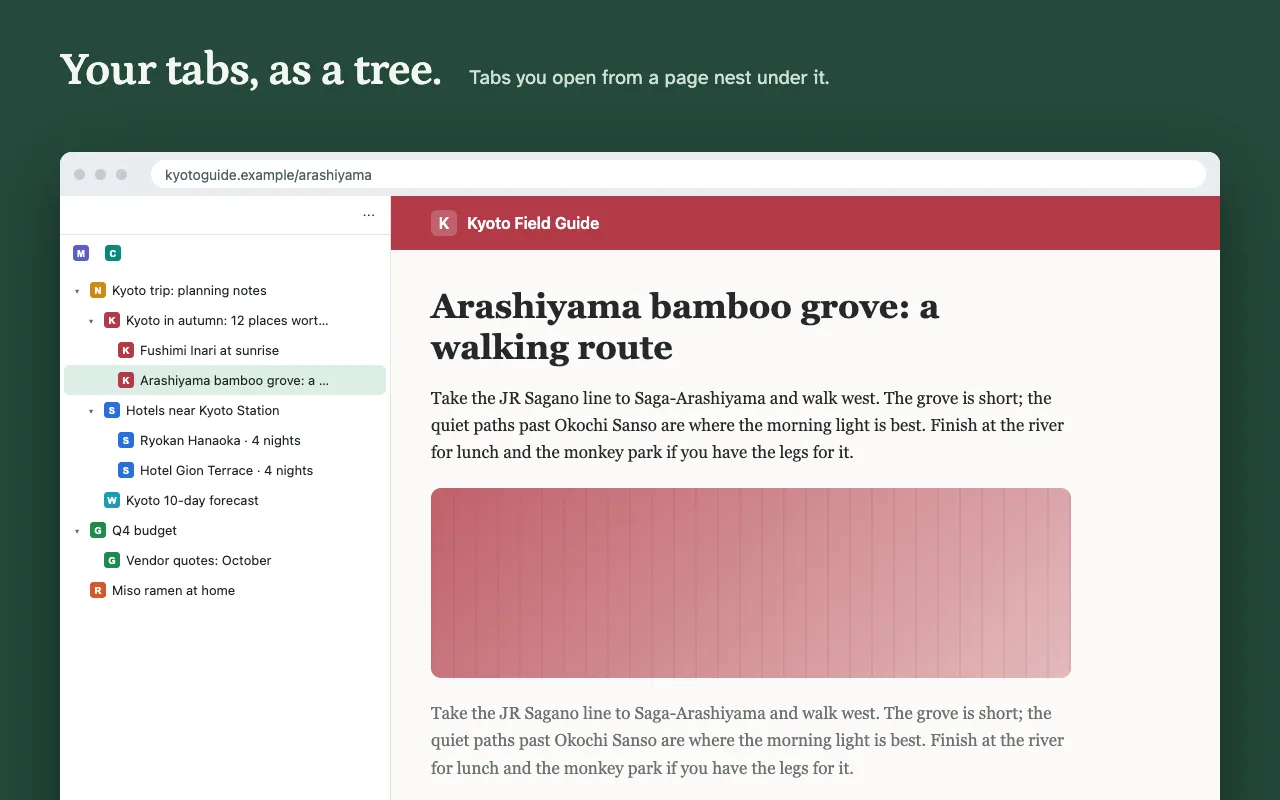
Your tabs as a tree in Chrome's side panel. Open a link in a new tab and it nests under the page it came from, so you can always see where a tab came from and what belongs together.
Free to use. Works in Chrome.
What it does
- Nests tabs automaticallyLinks you open in a new tab go under their page. A new tab from ⌘T or Ctrl+T starts its own tree.
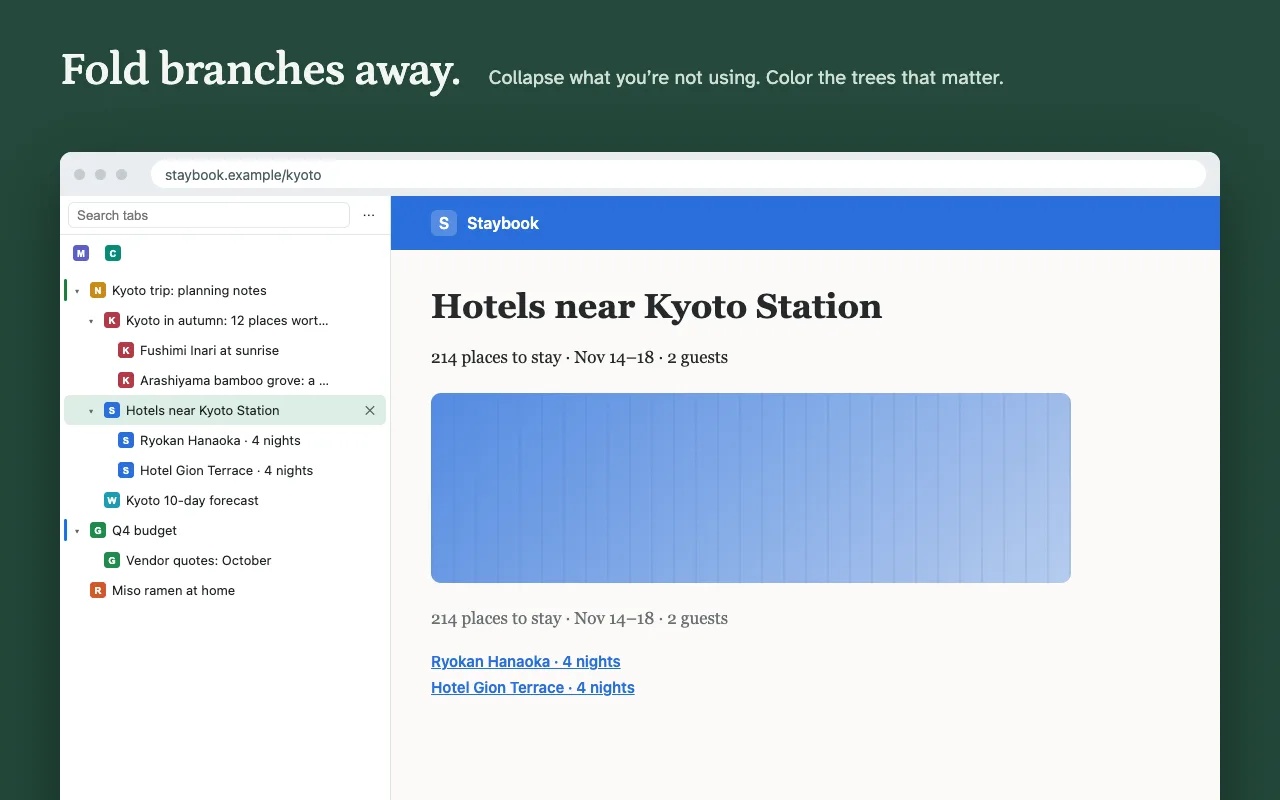
- Folds branches awayCollapse a branch to hide it in the panel. The tabs stay open, and the row shows how many are inside.
- Drag to reorganizeDrop a tab on another to nest it, or between rows to move it. Its whole branch comes along, and Chrome's tab bar follows.
- Survives a restartQuit Chrome, reopen it, and your trees come back the way you left them.
- Saves workspacesSave a branch or a whole window by name and reopen it later as its own window, nesting and all.
- Closes gentlyClose a page and its tabs move up a level instead of disappearing.
Price
| Free$0 | Pro$9.99, paid once | |
|---|---|---|
| Tab tree, nesting and drag and drop | Yes | Yes |
| Collapse, close branch, duplicate | Yes | Yes |
| Tree comes back after a restart | Yes | Yes |
| Saved workspaces | 1 | Unlimited |
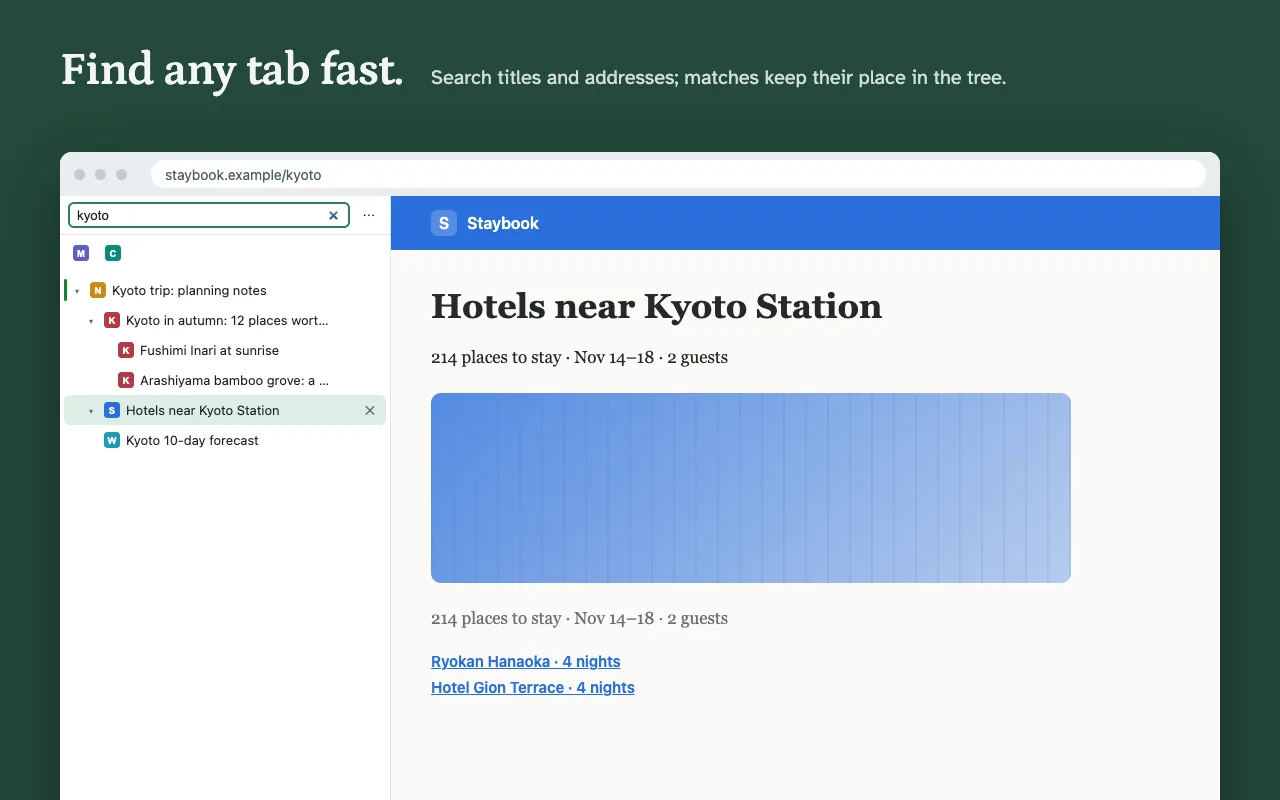
| Search tabs | No | Yes |
| Sleep a branch to free memory | No | Yes |
| Tab colors | No | Yes |
| Light, dark and compact themes | Follows your system | Yes |
No subscription. Upgrade from the ⋯ menu in the panel. Payment is handled by ExtensionPay and Stripe, and the extension never sees your card.
Guide: tree style tabs in Chrome, and how tab groups, vertical tabs and extensions compare.
Questions
- Chrome warns it can "read your browsing history." Why?
- Chrome shows that warning for any extension that can see tab titles and addresses, which Taproot needs to draw the tree and rebuild it after a restart. Everything stays in your browser; nothing is sent anywhere. See the privacy policy.
- How do I open it?
- Click the Taproot icon in the toolbar. If you don't see it, click the puzzle-piece icon and pin Taproot. To put the panel on the left, open Chrome Settings, then Appearance, then Side panel position.
- Can it hide Chrome's tab bar along the top?
- No. Chrome doesn't let extensions hide it, so the tree sits beside it.
- I paid on another computer. How do I get Pro here?
- Open the ⋯ menu in the panel, choose Upgrade, then "Already paid? Log in."
- Something else?
- Email dgraciano8424@gmail.com, including questions about a purchase.