
Prompt Arrows for ChatGPT
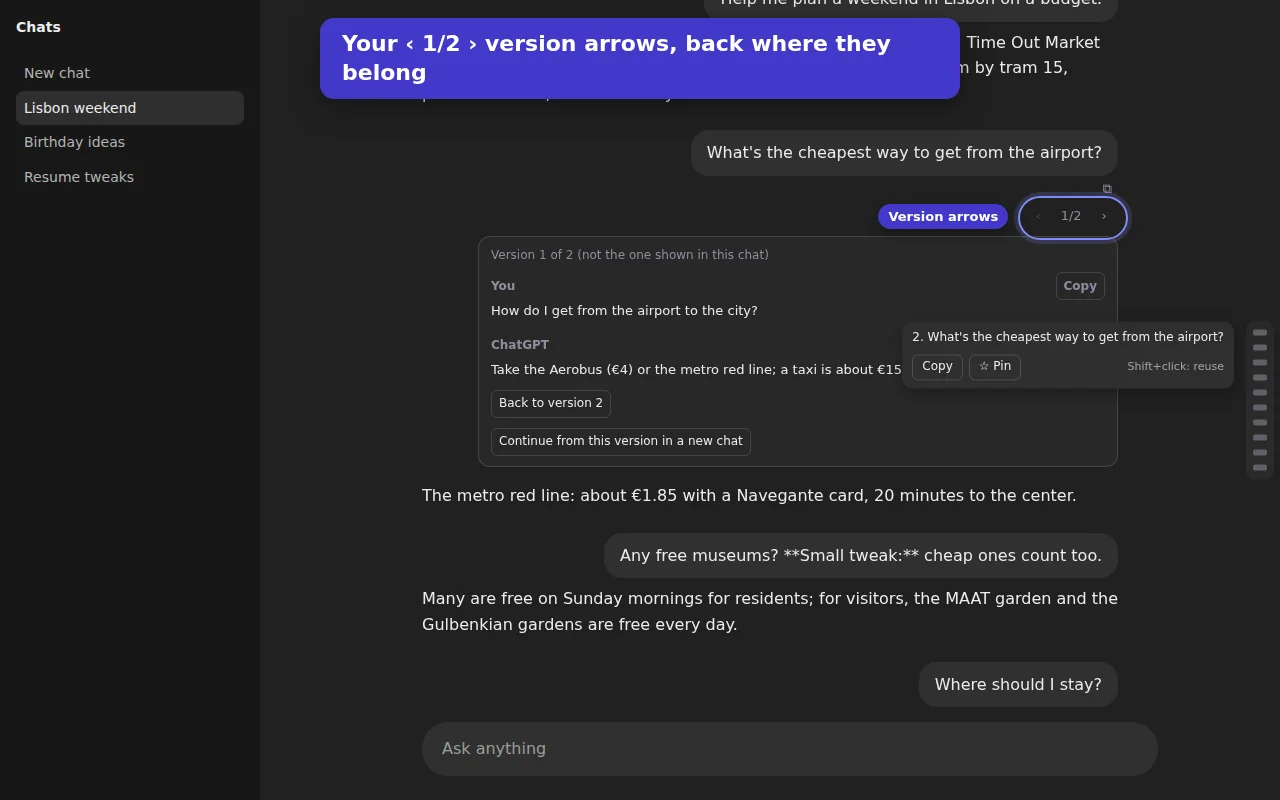
Edited a prompt or regenerated an answer, and now you can't flip back to the earlier one? ChatGPT moved those versions into a separate "See versions" window. Prompt Arrows puts the ‹ 1/2 › arrows back on the message itself.
Add to Microsoft Edge
Add to Firefox
Available now from Edge Add-ons and Firefox Add-ons. Chrome version is in review.
Free. No Pro version, no account.
What it does
- ‹ 1/2 › on every message with versionsRight where the arrows used to be. Click to read the other version in place: your prompt and the answer that followed it.
- Copy any versionOne click. Your chat itself is never changed.
- Continue from an old promptOne click opens a new chat from that version, using ChatGPT's own "Branch in new chat".
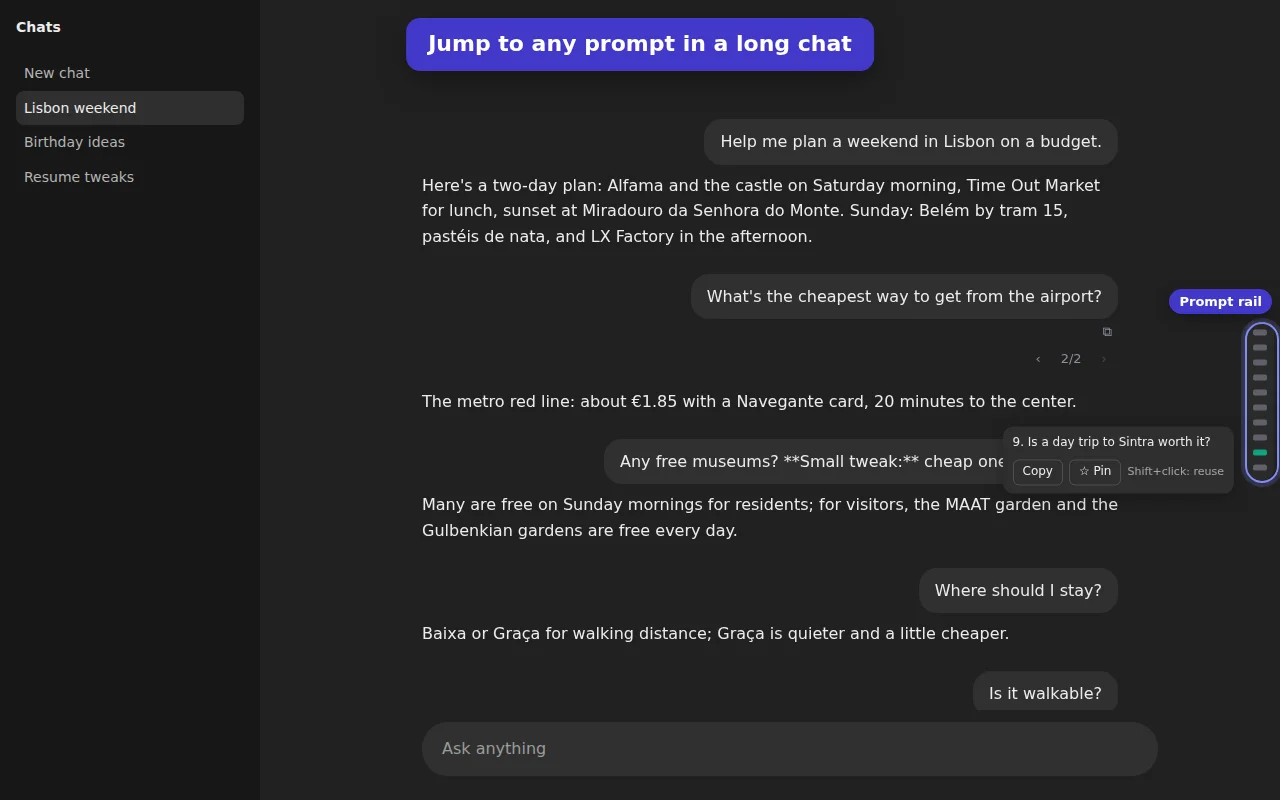
- Jump around long chatsA slim rail on the right has a mark for every prompt. Hover to see it, click to jump.
- Typed and voice messagesVoice prompts show their transcript.
- Is this made by OpenAI?
- No. Prompt Arrows (formerly Version Arrows) is an independent extension by Otter Potter and is not affiliated with, endorsed by, or sponsored by OpenAI.
- What does it see?
- Only the chat you have open on chatgpt.com, the same data the ChatGPT page loads. It stores nothing and sends nothing anywhere. See the privacy policy.
- Can it make an old version the active one?
- No, and no extension can: ChatGPT no longer lets an old version become the active one. What it does allow is continuing from an older prompt in a new chat, and Prompt Arrows does that in one click.
- An older prompt says "scroll up a little"?
- ChatGPT only loads the most recent messages of a long chat. Scroll up a little and the rail jumps to your prompt as soon as it loads.
- Something else?
- Email support@otterpotter.org.