
Timecomb for Dubsado
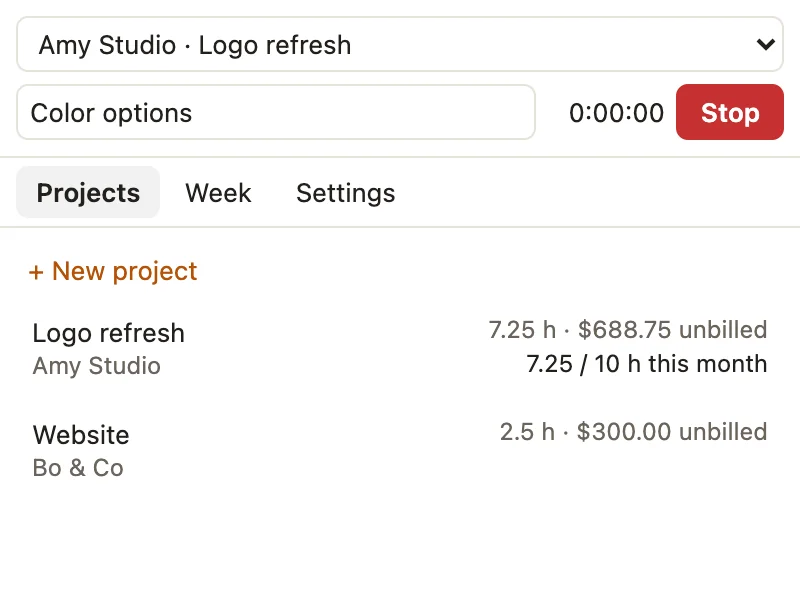
Dubsado's time tracker comes only with the Premier plan. Timecomb adds time tracking to any Dubsado plan, in your browser's side panel next to your projects: start a timer, log hours, see what's unbilled, and put it on an invoice. One price, paid once.
Free to use. Works in Chrome and Edge with Dubsado on the web.
What it does
- Start a timer from DubsadoA Start timer button sits on each Dubsado project page, next to the client. Or start one from the panel.
- Log time by handType "1:30", "1.5" or "90m". Mark time billable or not, and set rates per project or per entry.
- See what's unbilledHours and amounts per project, with optional rounding to 6, 15 or 30 minutes.
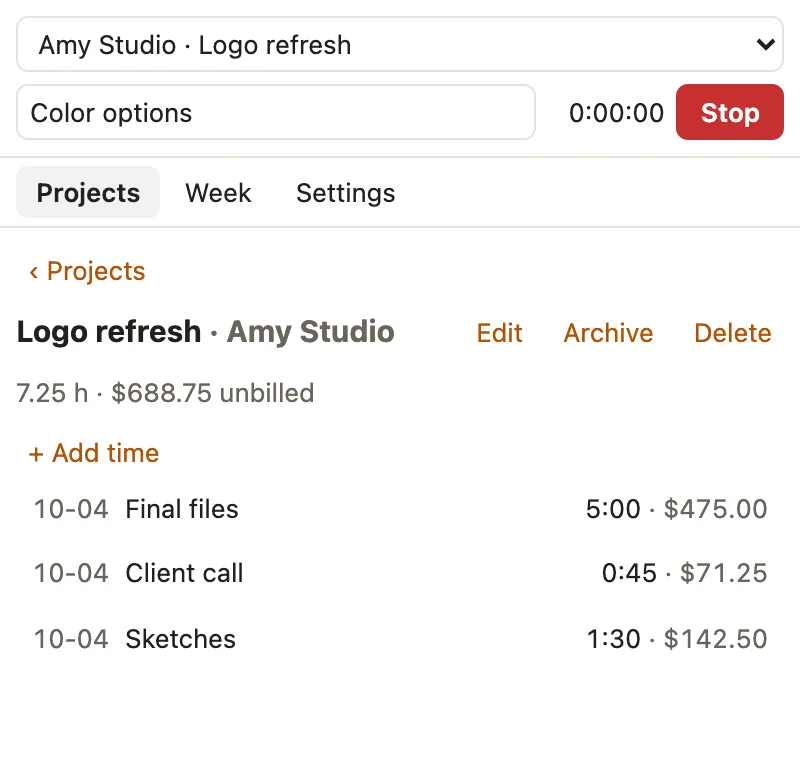
- Add hours to an invoiceIn Dubsado's invoice editor, pick the unbilled hours and add them as line items in one click, or copy them to paste (Pro).
- Catches forgotten timersA timer that ran over four hours is flagged so you can check it before you bill it.
- Your hours stay with youNo account and no server. Export a CSV backup any time, and import old hours from spreadsheets, Toggl or Clockify (Pro).
Price
| Free$0 | Pro$19, paid once | |
|---|---|---|
| Timer, manual entries, rounding | Yes | Yes |
| CSV export | Yes | Yes |
| Open projects | 1 | Unlimited |
| Add unbilled hours to Dubsado invoices | No | Yes |
| Week view | No | Yes |
| Contracted-hours budgets | No | Yes |
| Printable timesheets (save as PDF) | No | Yes |
| CSV import (old hours, spreadsheets) | No | Yes |
No subscription. Upgrade from Settings in the panel. Payment is handled by ExtensionPay and Stripe, and the extension never sees your card.
Guide: time tracking on Dubsado's Starter plan, and how the options compare.
Questions
- Is this made by Dubsado?
- No. Timecomb is an independent extension by Otter Potter and is not affiliated with, endorsed by, or sponsored by Dubsado.
- I'm on Premier. Do I need this?
- Probably not: Premier has its own time tracker. Timecomb is for the Starter plan, or for anyone who wants a timer, rounding, budgets and a week view without changing plans.
- Where are my hours stored?
- Only in your browser on this computer. Nothing is sent to us. Export a CSV backup from Settings now and then; uninstalling the extension deletes your hours. See the privacy policy.
- Does it send invoices for me?
- No. It adds line items to the invoice you're editing. You review it and click Save changes in Dubsado as usual.
- I also use HoneyBook.
- There's a Timecomb for HoneyBook too. They're separate extensions, each with its own hours and its own Pro.
- I paid on another computer. How do I get Pro here?
- Open Settings in the panel and choose "Already paid? Log in."
- Something else?
- Email dgraciano8424@gmail.com, including questions about a purchase.