
Stand-In
About a third of office workers have pasted customer data into an AI tool. Stand-In catches emails, card numbers, keys and your clients’ names as you paste, and swaps them for stand-ins like [EMAIL_1]. Copy the answer and the real values come back.
Free for the built-in checks. Pro is $19, paid once.
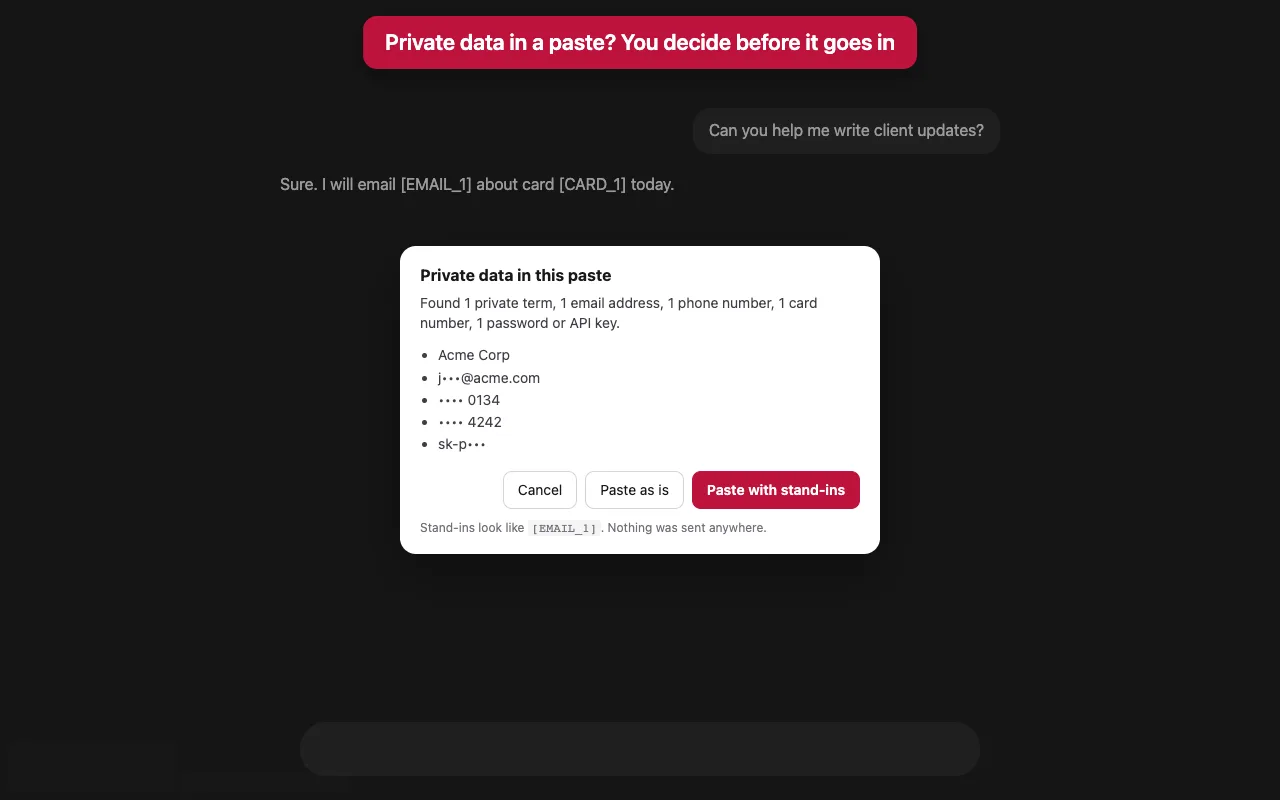
What it catches
- Keys and passwordsOpenAI, Anthropic, AWS, GitHub, Stripe, Slack and Google keys, private key blocks, and “password: …” lines.
- Money and identityCard numbers (checksum-verified), IBANs, US Social Security numbers.
- Contact detailsEmail addresses, phone numbers, IP addresses.
- Your own terms (Pro)Client names, project code names, anything you list.
- The round trip (Pro)The same value gets the same stand-in, so the AI can still reason about it. Copy the answer and the real values are back.
- For teams (Pro)Export your settings as a policy file and share it.
![The chat after pasting with stand-ins: the message box shows [TERM_1], [EMAIL_1] and [CARD_1] instead of the real values.](/stand-in/images/standins.webp)
Price
| Free$0 | Pro$19, paid once | |
|---|---|---|
| Built-in checks and stand-ins | Yes | Yes |
| Your own terms | No | Yes |
| Real values back on copy | No | Yes |
| Shareable policy file | No | Yes |
No subscription. Payment is handled by ExtensionPay and Stripe, and the extension never sees your card.
Questions
- Does it catch everything?
- No tool can. Stand-In reduces what reaches an AI: it checks the common kinds of private data and the terms you list. People’s names, for example, are only caught when you add them as terms.
- Where does my data go?
- Nowhere. Checking happens in your browser, and the list of stand-ins is kept by the extension (not the website) and forgotten when you close the tab. See the privacy policy.
- Which sites?
- ChatGPT, Claude, Gemini, Perplexity, Microsoft Copilot and DeepSeek.
- Something else?
- Email support@otterpotter.org.