
Assistant Keeper
Custom GPT creation is gone from ChatGPT Plus and Pro, and Gemini’s Gems move to “skills” on November 17, 2026. Save the instructions you built, and start any of them in ChatGPT, Claude or Gemini with one click.
Free for 3 assistants. Pro is $9.99, paid once.
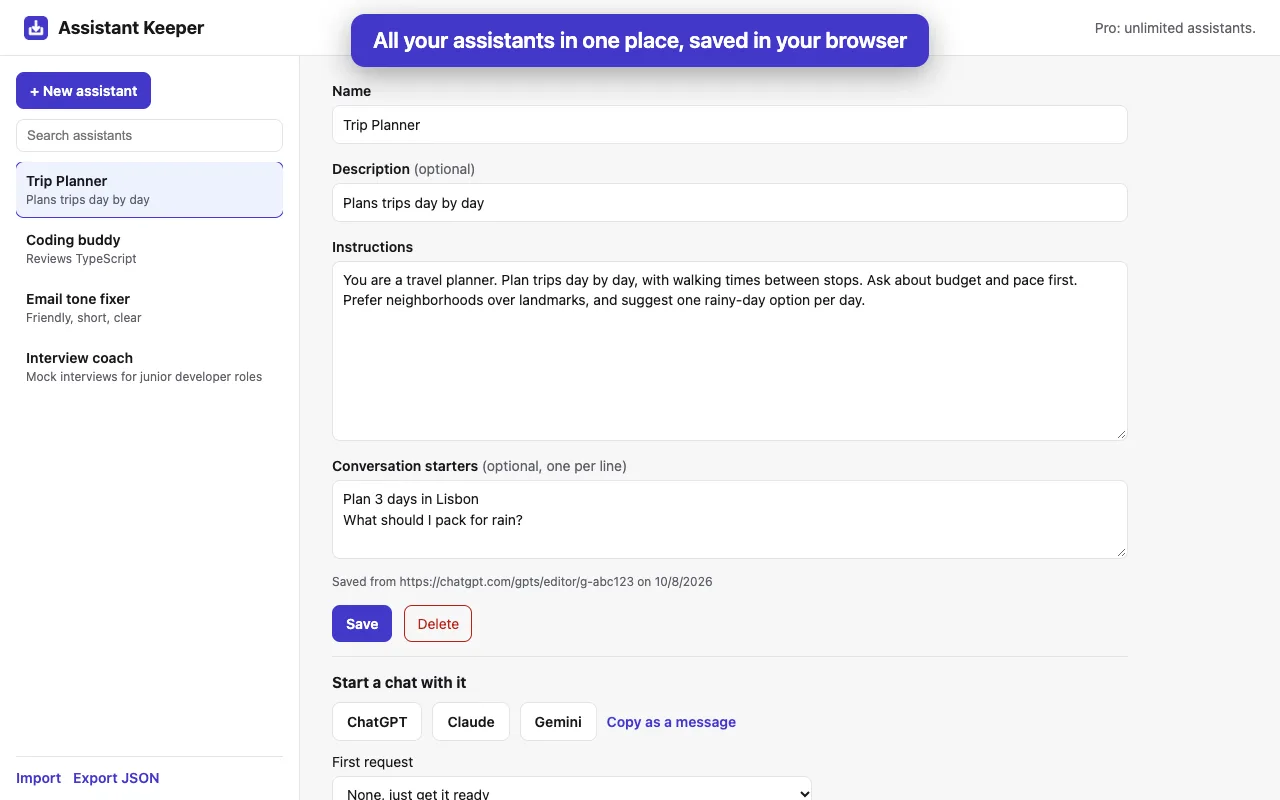
What it does
- Save from the edit pageOn a Custom GPT’s Configure page or a Gem’s edit page, click “Save to Assistant Keeper”. The name, description, instructions and conversation starters are read from the page, and you check them before saving.
- Or add one by handA name and the instructions are all it needs.
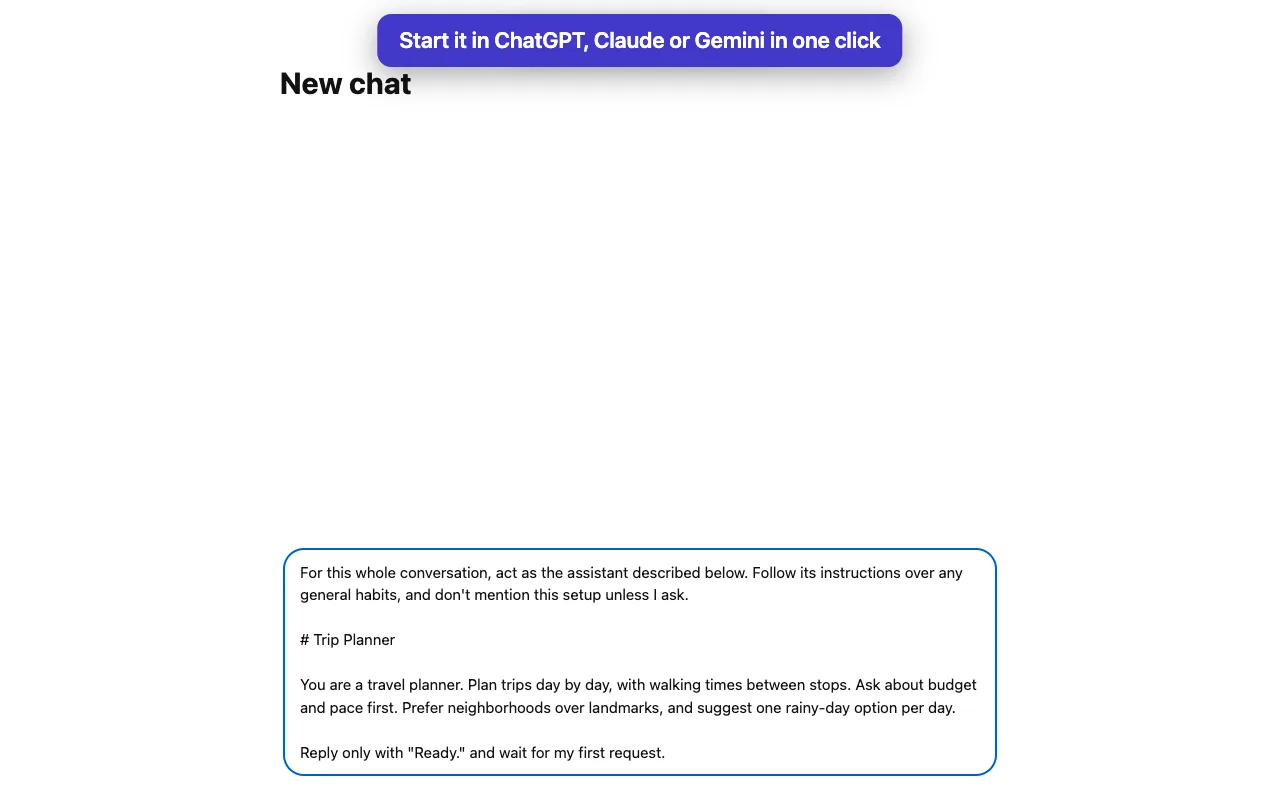
- Start it anywhereOne click opens a new ChatGPT, Claude or Gemini chat with the instructions in the message box. You press Send.
- Start with a starterPick one of its conversation starters as the first request.
- Take them with youExport as JSON or Markdown, and import on another computer.
Price
| Free$0 | Pro$9.99, paid once | |
|---|---|---|
| Save, edit and start assistants | Yes | Yes |
| Assistants kept | 3 | Unlimited |
| Export and import | Yes | Yes |
No subscription. Payment is handled by ExtensionPay and Stripe, and the extension never sees your card.
Questions
- Is this made by OpenAI, Google or Anthropic?
- No. Assistant Keeper is an independent extension by Otter Potter and is not affiliated with, endorsed by, or sponsored by any of them.
- Does a started assistant work like the original GPT or Gem?
- It carries the instructions and starters. Knowledge files, actions and tools stay with the original; add them in the new chat yourself if you need them.
- Where are my assistants stored?
- In your browser only. Nothing is sent to us. See the privacy policy.
- Something else?
- Email support@otterpotter.org.